Can You Make a Pet Portrait From an Old or Blurry Photo?
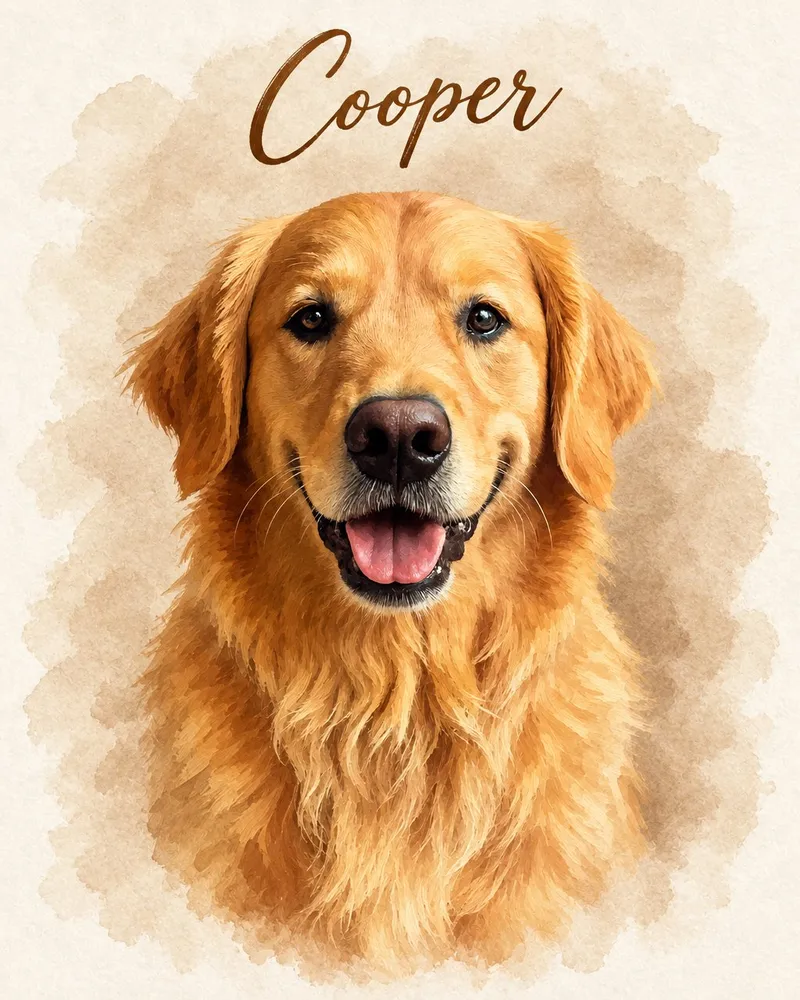
Often, yes: a portrait can be made from an older, slightly blurry or low-quality photo, as long as your pet's face is visible and their eyes are reasonably clear. What usually doesn't work is a photo where the face is tiny, hidden, or smeared by heavy motion blur.
This matters most when the photo you have is the only one you'll ever have, like a pet who passed years ago. Here's how to make the most of it.
Why imperfect photos can still work
A portrait isn't a copy of your photo. It's created from your photo and reinterpreted in an art style, so it doesn't need to be a technically perfect picture. Soft focus, a bit of grain or slightly faded colors are often fine.
What a portrait can't reliably do is recover details that simply aren't in the photo. If one eye is hidden, the face is a few pixels wide, or the markings are lost in shadow, there's less to work from and the result may look less like your pet. The goal is to choose the photo with the most *real* information about their face.
What usually works
- Slightly soft or out-of-focus photos, as long as you can make out the eyes, nose and ear shape
- Older digital photos from early phones or point-and-shoot cameras
- Scanned prints, even faded ones, if they're scanned flat and without glare
- Photos with a messy background. The background is replaced by the art style, so a cluttered kitchen or a blanket pile is no problem.
- Grainy indoor photos, if the face is still recognizable
- A screenshot from a video, paused when the face is still
What usually doesn't work well
- Face very small in the frame — Usually OK?: Often not; What to try: Find a closer photo, or crop the original file rather than a screenshot
- Heavy motion blur across the face — Usually OK?: No; What to try: Look for a frame from the same moment, or a video still
- Eyes closed or face turned away — Usually OK?: Rarely; What to try: Choose a photo with both eyes visible, even if it's less sharp
- Very dark, face in deep shadow — Usually OK?: Sometimes; What to try: Brighten it slightly on your phone, then preview
- Heavy filters or stickers — Usually OK?: Not well; What to try: Find the unedited original
- Pet partly hidden by a person or object — Usually OK?: Sometimes; What to try: Pick a photo where the full face is clear
- Faded or yellowed print — Usually OK?: Usually; What to try: Scan in daylight; coat color may need checking on the proof
How to pick the best of several photos
If you have a handful of candidates, a simple process helps:
- Gather 5 to 10 options. Don't judge yet, just collect.
- Zoom in on the eyes. Rule out any where the eyes are closed, hidden or a total blur.
- Check the expression. Which one looks most like *them*? The tilted head, the soulful stare, the derpy grin.
- Look at coat color. Choose photos taken in natural light over ones with orange indoor lighting or filters, so their real color comes through.
- Check the markings. If they had a distinctive blaze, spot or eyebrow, make sure it's visible.
- Shortlist two or three and preview each. Previews are free, so let the results decide.
Very often, the winner isn't the sharpest photo but the one where their personality shines through.
Finding a better version of the photo you have
Before settling, it's worth checking whether a higher-quality copy exists:
- The original file beats a shared copy. Photos sent through messaging apps or saved from social media are usually compressed. Ask whoever took the photo for the original.
- Check cloud backups and old phones. Old devices in a drawer often hold full-resolution versions.
- Look for burst or nearby shots. The photo right before or after might be sharper.
- Ask family and friends. Someone else may have photographed the same day from a better angle.
- Scrub through videos. A paused frame can capture an expression no photo did.
How to scan a printed photo
Many beloved pets lived before phone cameras. Here's how to digitize a print well.
With a scanner
- Wipe the glass and the photo gently with a soft, dry cloth to remove dust.
- Scan in color, even for black-and-white photos, to keep tonal detail.
- Use a high resolution, such as 600 dpi or more for small prints, so the pet's face has enough detail.
- Save as JPG or PNG.
With your phone
- Take the photo out of any plastic sleeve or frame glass.
- Lay it flat on a table near a window in daylight. Turn off the flash.
- Hold your phone directly above and parallel to the print so it isn't skewed.
- Watch for your own shadow and for glare on glossy prints. Tilt the print slightly away from the window if you see a shine.
- Fill the screen with the print, then crop tightly afterward.
Many phones and free scanning apps can automatically straighten and crop a document photo, which works well for prints too.
Choose a style that's kind to imperfect photos
Some styles are more forgiving than others:
- Watercolor Blue and Watercolor Earthy have a soft, flowing look that suits older and slightly blurry photos especially well.
- Vector Look simplifies your pet into bold, clean shapes, which can also work with less detailed photos.
- More detailed, realistic styles show more fine detail, so they tend to reward sharper photos.
Consider the size
Larger prints show more detail. If your photo is on the soft side, a mid-size framed print or a smaller canvas is often a better match than the largest 24″ × 36″ size. The preview and the proof help you judge.
You'll see it before you pay
You don't have to guess whether your photo is good enough. The free preview shows your portrait before you spend anything, and after you order, we email a digital proof so you can check every detail before printing. For a pet who has passed, our pet memorial portrait page has more gentle guidance, and you can browse custom dog portraits for breed-specific photo tips.
Ready to try it?
Dig out that old favorite, upload it, and see a free, watermarked preview in about 30 seconds, with no account or card needed. If it doesn't look right, try another photo or style. You only pay if you love the preview. Try your photo free.
Turn your pet's photo into art
Free preview in about 30 seconds — pay only if you love it.
Create My Pet's Portrait →