How to Photograph a Black Dog or Black Cat
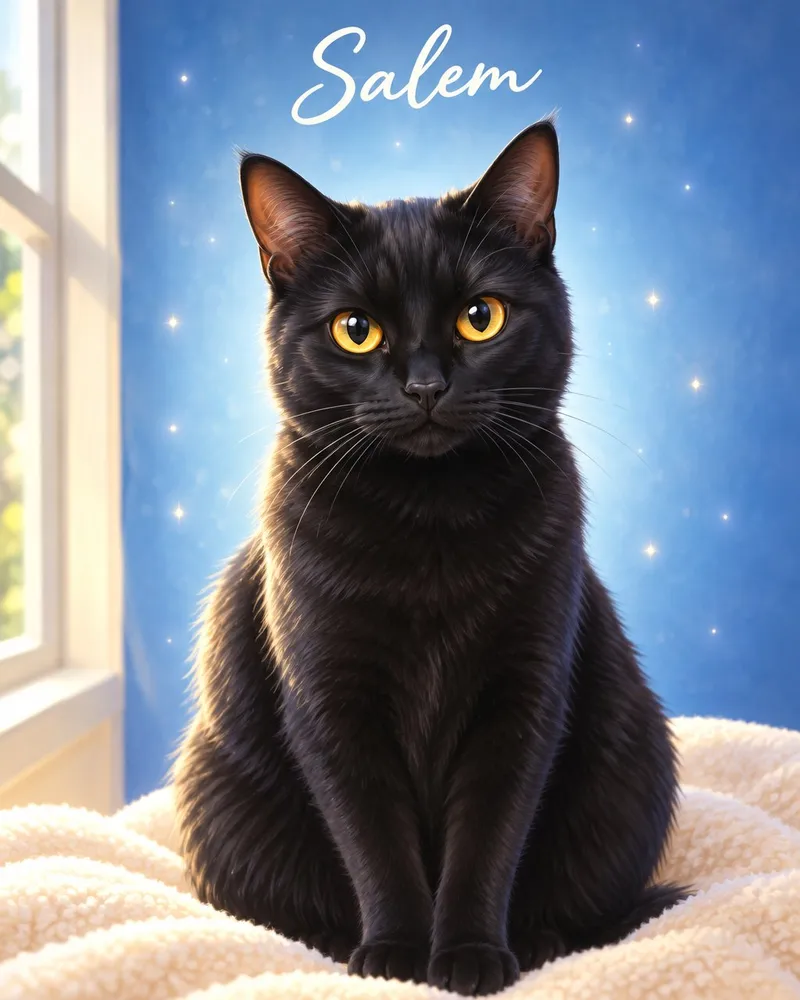
To photograph a black dog or black cat, put them in bright, soft light, shoot against a lighter background, and make sure there's a small glint in their eyes. Phones tend to read black fur as one flat shape, so a little extra light and a quick exposure tweak make all the difference.
Here's how to get a photo that keeps the glossy coat, the expressive eyes and every little feature, whether you're making a portrait or just want a keeper for your camera roll.
Why black pets are tricky
Your phone's camera tries to make every scene average out to a medium brightness. When most of the frame is black fur, it often does one of two things: it brightens everything until the background looks washed out, or it leaves the fur as a dark blob where the ears, nose and eyes blend together.
The result is a photo where you know it's your pet, but the details that make them *them* are missing. The fix is not a better camera. It's better light, a better backdrop and a few small habits.
Get the light right
Black fur only shows its texture when light falls on it, so give it plenty.
- Use window light. Place your pet a few feet from a big window in the daytime, with the light coming from the side or slightly in front of them. Side light rakes across the coat and shows the sheen.
- Go outside in open shade or on a cloudy day. Soft, even light shows fur detail without harsh glare. A porch, the shady side of a house or a bright overcast afternoon are all good.
- Skip the flash. It bounces straight back off the eyes, flattens the coat and makes black fur look dull and gray.
- Avoid dim rooms. Evening lamp light looks cozy to us, but the phone responds by boosting grain and smoothing out fur. Move to the brightest spot in the house.
- Watch for harsh midday sun. It can make black fur glare in some spots and disappear in others. Open shade is kinder.
Keep the eyes alive
For a black pet, the eyes are the portrait. They need to be sharp and show a little spark.
- Look for catchlights. Those tiny white reflections of the window in the eyes are what make a face feel alive. If you can't see them in your photo, turn your pet slightly toward the light.
- Tap on the eyes to focus. Press and hold to lock focus there, so the nose or ear doesn't steal it.
- Mind the color. In dim light a black dog's brown eyes can look nearly black, and a cat's pupils open wide, covering most of the color. Brighter light shrinks the pupils and shows amber, gold or green.
- Try for a calm, open expression. Squinting or half-closed eyes disappear against dark fur.
Choose the right background
Black on black is the most common reason black-pet photos fall flat. Put your pet in front of something lighter so their outline is clear.
- Light wall, cream or soft gray — Works well?: Yes; Why: Clean outline, shows ear and whisker shapes
- Light wood floor or pale rug — Works well?: Yes; Why: Adds warmth and keeps the fur separate from the ground
- Green lawn or leaves in shade — Works well?: Yes; Why: Mid-tone color makes the coat pop
- Dark sofa, dark floor, night sky — Works well?: Avoid; Why: Fur and background merge into one shape
- Busy rooms with clutter — Works well?: Avoid; Why: Distracts from the face
If the room is dark, hang a plain light sheet or lay a pale blanket behind them for a quick studio effect.
Pick the right angle
- Get down to eye level. Crouch or lie on the floor so your phone is level with their face. Shooting from above makes a black face look flat and shrinks the eyes.
- Try a slight three-quarter turn. Angling the head a little shows the shape of the nose, cheeks and muzzle better than straight on.
- Fill the frame. Move closer instead of zooming. A full face and chest, with a little room around the ears, is ideal.
- Keep both eyes visible, even when the head is turned.
Phone settings that help
- Use the main 1x lens. It gathers more light than the zoom or ultra-wide lenses, which matters a lot for dark subjects.
- Tap on the fur, then drag the brightness slider up a little. Raise it until you can see texture along the cheeks and ears, but stop before the background turns bleached.
- Try burst mode. Hold the shutter for a moving pet and pick the frame where the eyes are sharpest.
- Take a regular photo as well as a portrait-mode one. Fake background blur can smear whiskers and fuzzy ear edges.
- Skip filters and heavy edits. They shift the coat color and add noise. Upload the original file from your camera roll. JPG, PNG and HEIC up to 20MB all work.
Common mistakes to avoid
- Photographing a black pet in a dim room and brightening it afterward, which only adds grain
- Standing with a window behind them, which turns your pet into a silhouette
- Using flash at close range
- Shooting down from standing height
- Cranking the brightness so high that the whole photo looks gray and washed out
Checklist before you upload
- Light falls on their face, not behind them
- Eyes sharp, with a small catchlight
- Fur texture visible on the cheeks and ears
- Background lighter than the coat
- Taken at your pet's eye level
- No flash, filters or beauty effects
Many of these habits are the same as in our guide to the perfect pet portrait photo, and our black cat portrait page has more on dark coats.
Which style suits a black coat?
A good photo gives any style plenty to work with, but a few show off dark fur especially well:
- Classic Oil brings out the gloss and depth of a black coat with rich, realistic tones.
- Black & White Charcoal turns the soft highlights on the fur into dramatic shading.
- Royal puts a dark coat against crimson velvet, where it really stands out.
If you're not sure, our style guide can help you choose. The portraits are made for dogs and cats of every color.
Ready to try it?
Pick your favorite shot, or even three, and see a free, watermarked preview in about 30 seconds, with no account or card needed. You only pay if you love the preview, and what you see in your free preview is what we print. Create your pet's free preview.
Turn your pet's photo into art
Free preview in about 30 seconds — pay only if you love it.
Create My Pet's Portrait →